|
As we have mentioned, D-STAR is radically different and yet very similar to
the Amateur Radio we are used to. Similar in that many D-STAR concepts have
analog analogies we are familiar with. Different in that, being digital, things
just happen, well, differently. Let’s get started by talking about “Digital Voice”, or
DV for short. Since it is digital, the signal from your D-STAR radio is really just a bunch of
zeros and ones. Along with your digitized voice, the data stream contains addressing
information... what radio it is coming from, what radio it is going to, and how it
is getting there. Kind of similar to email in that without the addressing info, the
mail won't get through. If you have ever worked packet radio, these concepts probably sound real familiar. D-STAR
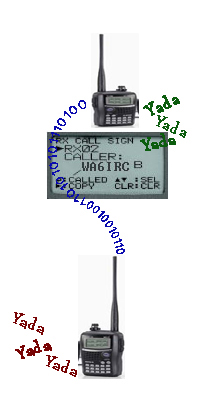
works like packet... MyCALL (who you are), UrCALL (who you're talking to),
RPT1 C and RPT2 C. More on the last two later. Even working simplex, your radio needs to
know "Who it is" and "Who it is calling"… again, it’s a digital thing.
Check this link for a discussion on setting up your radio “MyCALL”,
“UrCALL”, "RPT1 C" and "RPT2 C" parameters. When you transmit a DV signal, the radio's codec digitizes your voice and addressing information is added. To receive, your radio runs the data through the codec and turns it back into something we humans can use... sound. To recap, Digital Voice is a digital mode, and while it may sound like good old analog FM coming from your radio, the way it all happens is quite different. Being digital, there are a lot of cool things we can do... such as sending your traffic to the local 70cm port and 1.2 GHz port. Or sending your traffic to the local 2 meter port and a "Reflector" in the UK... all at the same time! If you are ready, let's move on to another set of concepts, Areas, Zones and Gateways... oh my! |
 |
|
Open Nets Tuesdays and Wednesdays 8pm. All Are Welcome! |